


Elveta
Elveta Connect
ELVETA CONNECT
ELVETA CONNECT
Elveta Connect app icon

Set Up Your Elveta Real-Time Dongle In Minutes

Elveta Connect is the free companion app for the Elveta real-time dongle. It connects to your Elveta real-time dongle over Bluetooth and gets it online in a few simple steps - no account, no login, and nothing sent to the cloud.

Once your Elveta real-time dongle shows a steady green light, the app has done its job. Everything else happens automatically in the background.

Download on the App Store Get it on Google Play

How It Works

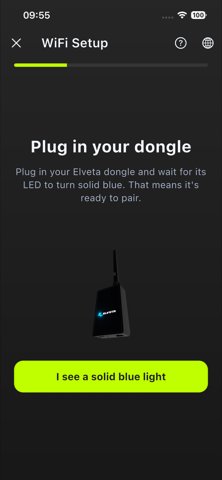
Plug in your dongle

Plug in Elveta Real-Time Dongle

Connect your Elveta real-time dongle to power and wait for a steady blue light.
Scan the QR code

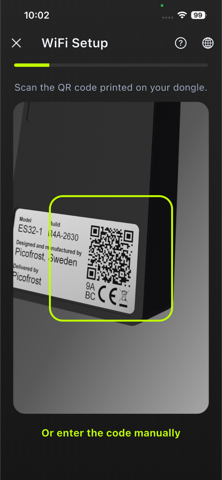
Scan the QR code

Open the app and scan the QR code printed on the Elveta real-time dongle's label.
Setup done

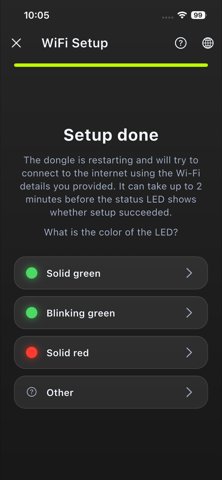
Connect to Wi-Fi

Choose your Wi-Fi network over Bluetooth and your Elveta real-time dongle is online.

Prefer a fully detailed walkthrough? See the step-by-step guide.

Why Elveta Connect

  • No account or login required
  • Nothing is sent to the cloud - setup happens entirely over Bluetooth
  • Works with every Elveta real-time dongle model
  • Free to use, for iOS and Android
  • Optional advanced setup for local integrations like Home Assistant
  • Available in English, Swedish, Finnish, Norwegian, Danish, and German

Support & Privacy

Elveta Connect does not collect or store any personal data. For questions about the app or your Elveta real-time dongle, see our User Guide.

Read our Privacy Policy.

Contact

Would you like to know more? Please contact us below.

Elveta is developed and operated by Picofrost AB. Read more at www.picofrost.com

+46 10-430 03 14

info@picofrost.com

Picofrost LinkedIn

Täby, Sweden