
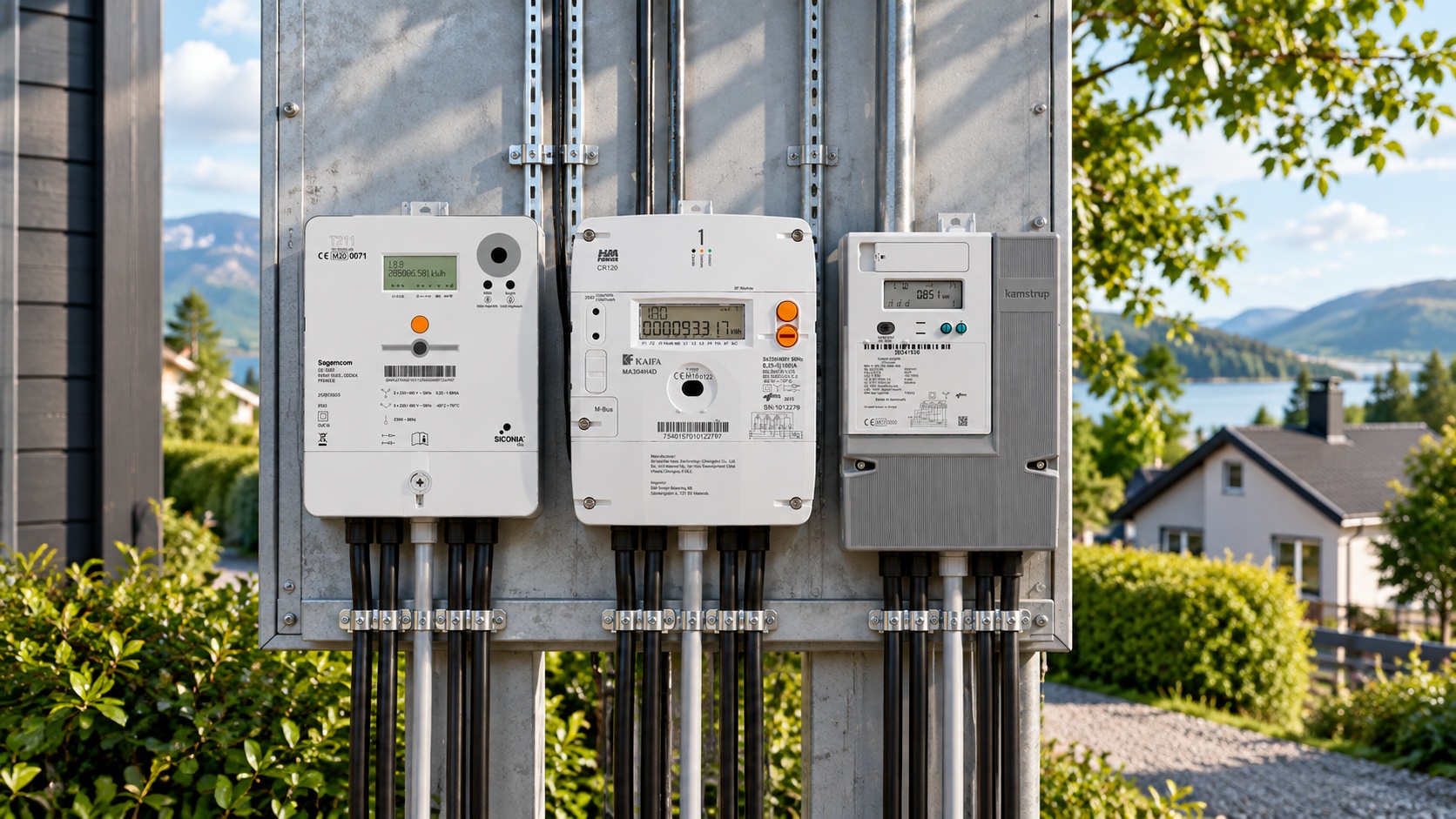
Connecting to Electricity Meters
Elveta real-time dongle supports most types of electricity meters. Below is a description of how it is connected to different electricity meters. For information about how RJ12 and RJ45 ports are usually named, see Port Information. Please note that for all connections below, the cable must be from Elveta in order to work. Use the list below as a guide for which cable you need for your electricity meter.
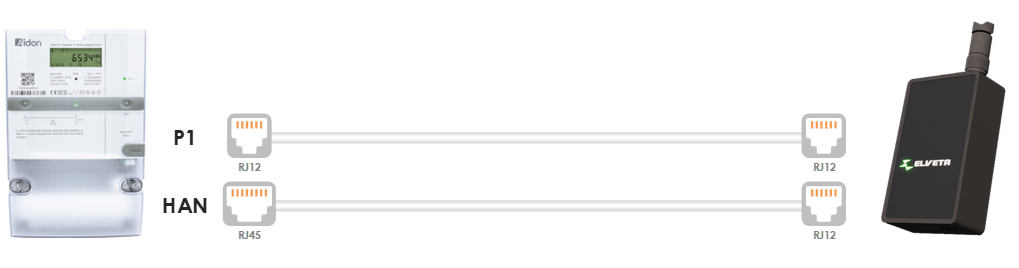
Aidon 6525 / Aidon 6534 / Aidon 7534
Aidon comes with either an RJ12 or RJ45 port. Elveta real-time dongle supports both with different cables. Aidon RJ12 is used, for example, by Skellefteå Kraft, Tekniska Verken, Halmstads Energi, and Kalmar Energi in Sweden. Aidon RJ45 is used, for example, by Norrtälje Energi and Härryda Energi in Sweden and Elvia AS in Norway.
Above the rubber cover named "HAN" there is a model designation that indicates whether the port is RJ12 or RJ45. You have RJ12 if it says: 6442, 6490, or 6492. You have RJ45 if it says: 6474, 6476, 6477, 6479, or 6484.
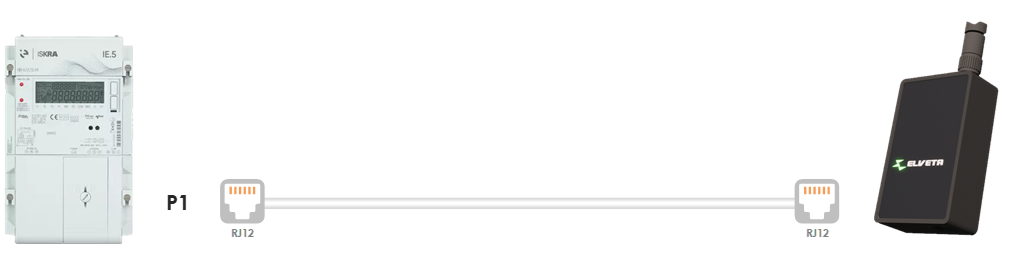
Iskra IE.5
Iskra (Iskraemeco) usually comes with an RJ12 port. Used, for example, by Ulricehamns Energi in Sweden.
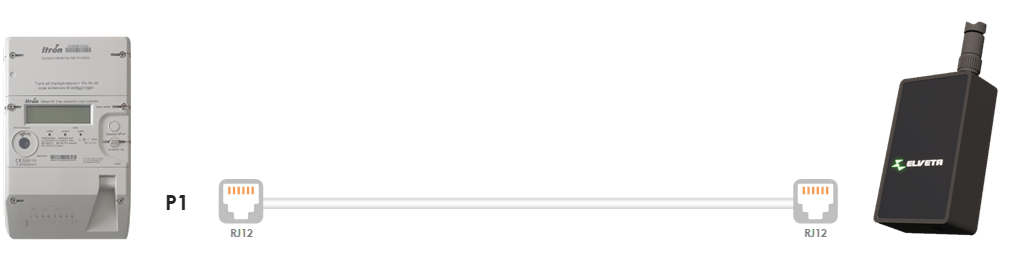
Itron A300
Itron usually comes with an RJ12 port. Used, for example, by Nätkraft Borås in Sweden.
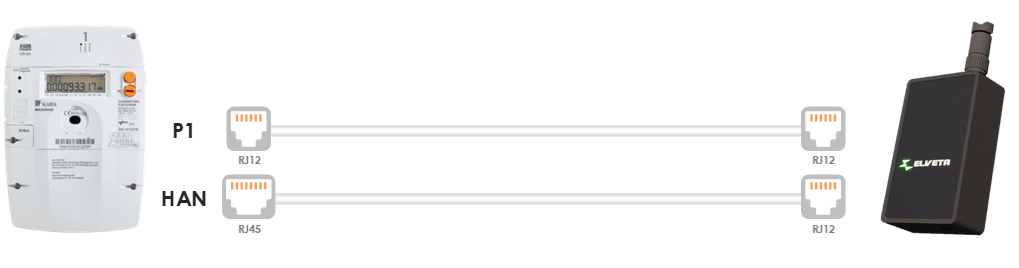
Kaifa MA304
Kaifa comes with either an RJ12 or RJ45 port. Elveta real-time dongle supports both with different cables. Kaifa RJ45 is used, for example, by Mälarenergi, Nacka Energi, Öresundskraft, and Ellevio (in Vallentuna). Kaifa RJ12 is used, for example, by Uddevalla Energi.
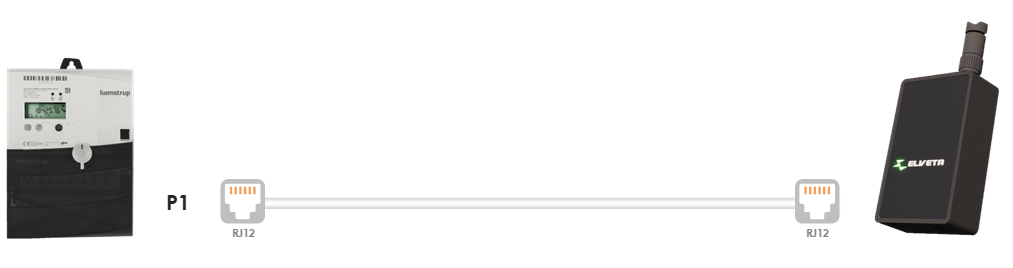
Kamstrup OMNIA® e-meter
Kamstrup OMNIA® e-meter comes with an RJ12 port. Used, for example, by Göteborg Energi and Herrfors in Finland.
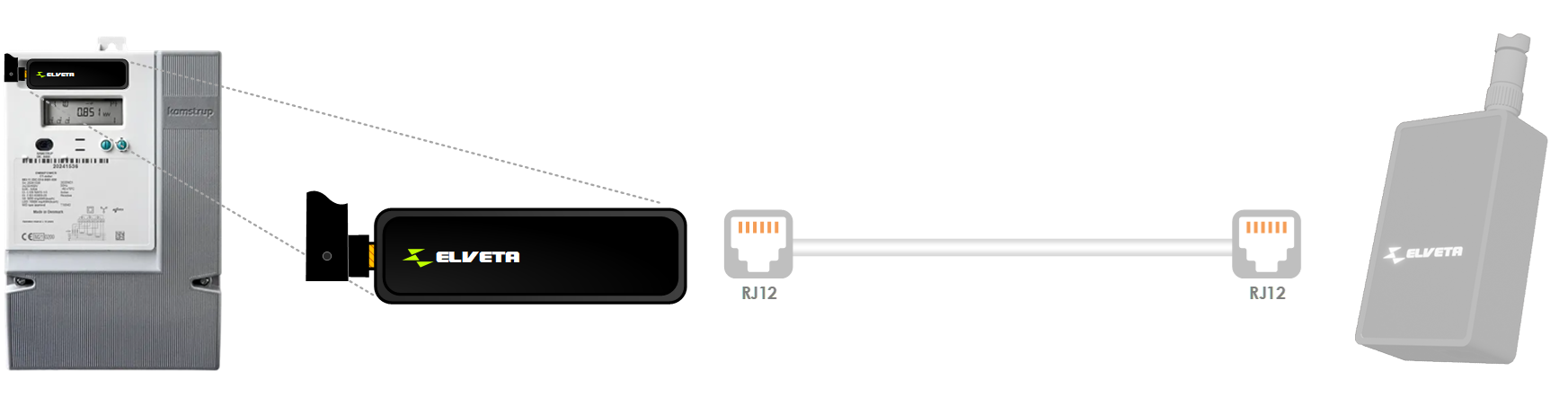
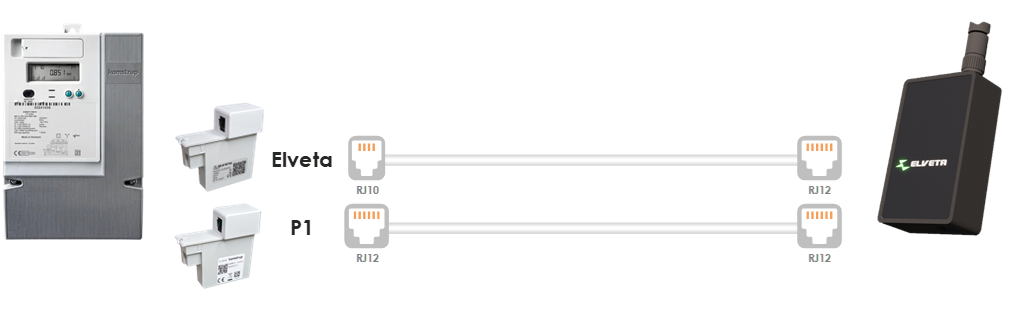
Kamstrup OMNIPOWER®
Kamstrup OMNIPOWER® has an internal port that can be used without an external power source in two ways: either through the dedicated Elveta real-time dongle K, which plugs directly into the electricity meter, or the versatile Elveta real-time dongle with an Elveta Adapter plugged into the electricity meter.
Elveta real-time dongle K supports third-party P1 dongles (RJ12) via its expansion port.
P1 and HAN adapters from Kamstrup are also supported, but these require an external power source. Kamstrup OMNIPOWER® is used, for example, by Jämtkraft, PiteEnergi, Luleå Energi, and Gävle Energi in Sweden.
Landis+Gyr E360
Landis+Gyr usually comes with an RJ12 port. Used, for example, by E.ON, Landskrona Energi, and Tranås Energi in Sweden.
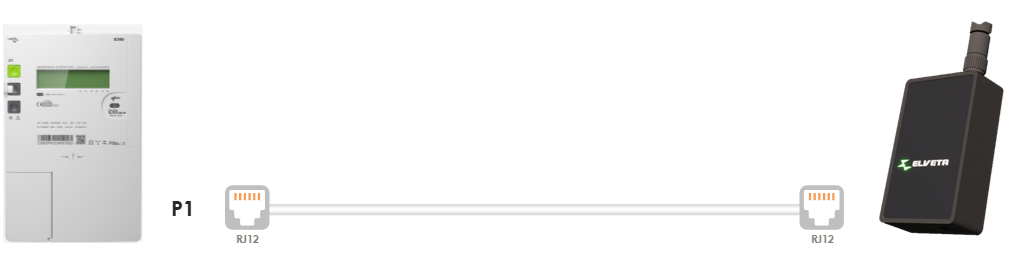
Sagemcom T211
Sagemcom comes with an RJ12 port. Used, for example, by Ellevio, Kraftringen, and Skånska Energi in Sweden.
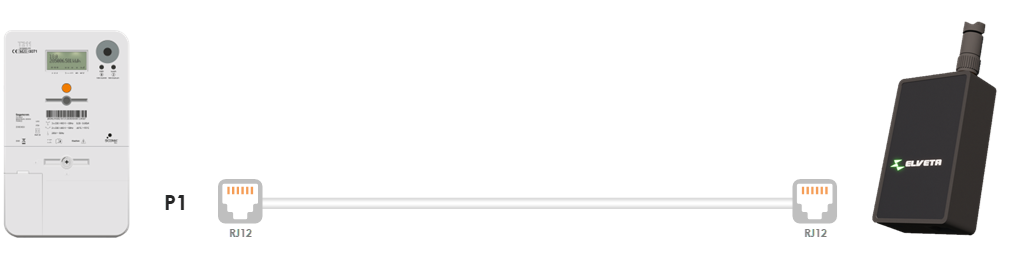
Sanxing S34U18
Sanxing usually comes with an RJ12 port. Used, for example, by Vattenfall and Gotlands Elnät in Sweden.
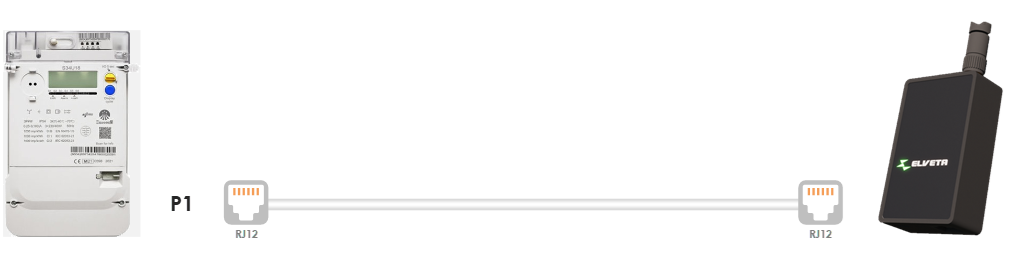
Star STZ351
Star Instrument usually comes with an RJ12 port. Used, for example, by Tranås Energi and Växjö Energi in Sweden, as well as Mariehamns Energi on Åland.
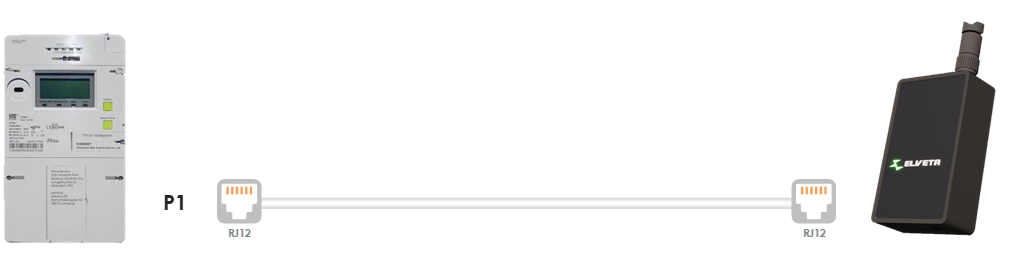
Activate the Customer Port
The customer port, sometimes called the local interface, is inactive when you move in and activation must be requested from the electricity network provider. This is most often done by logging in to My Pages at the electricity network provider, where you activate it with BankID, but sometimes there is a form to fill in and sometimes you need to call. Check with your electricity network provider to get the latest information about how it should be done. Below are instructions for some electricity network companies.
E.ON
At E.ON you can activate the customer port yourself on My E.ON or in E.ON's app under My agreements. You can also contact E.ON customer service for help with activation.
Ellevio
- Log in to My pages for private customers
- Once logged in, go to "Electrical Installation" on the left side.
- Scroll down to the heading "Services".
- Click the "Activate" button next to the text "Local interface for real-time metering".
- It normally only takes a few minutes before the port is activated.
For companies, go to Energy Data after you have logged in to My pages for companies.
Jämtkraft
At Jämtkraft you can activate the customer port yourself by filling in the form here. The form includes a choice of port, RJ12 or RJ45. We recommend choosing RJ12 for the fastest data speed and best real-time experience.
Kalmar Energi
At Kalmar Energi you need to contact their customer service to get help with activation, phone 0480-45 11 45.
Mälarenergi
At Mälarenergi you can activate the customer port yourself on My Mälarenergi.
PiteEnergi
At PiteEnergi the customer port is activated automatically when you order a real-time dongle. Otherwise, contact their customer service here: PiteEnergi Customer Service.
Skellefteå Kraft
At Skellefteå Kraft you can activate the customer port yourself on My Pages and click on ”Installation info and agreements”.
Tekniska Verken
At Tekniska Verken you can activate the customer port yourself on My pages. Scroll down to the heading "What do you want to do?", click "Order or book services" and click "Order" next to "Order activation of HAN port".
Uddevalla Energi
At Uddevalla Energi you can activate the customer port yourself on My pages. Once you have logged in, look for instructions on how to activate the connection port.
Vattenfall
At Vattenfall you can activate the customer port yourself on My pages. Scroll down to the heading "What do you want to do?", click "Order or book services" and click "Order" next to "Order activation of HAN port".
Would you like to know more? Contact us.