
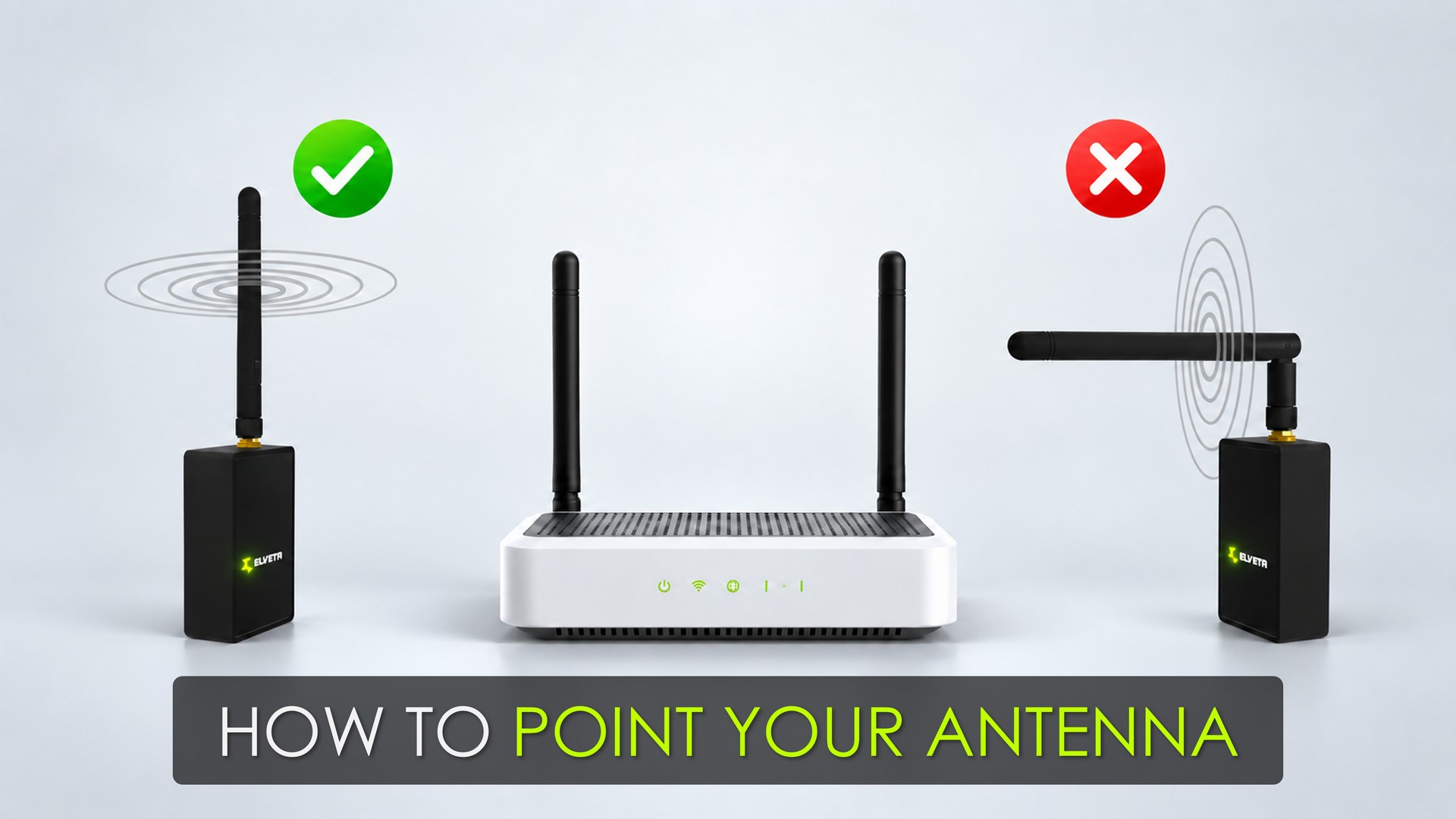
How to Point Your Antenna
The Elveta real-time dongle's antenna is tiltable, and getting the angle right can noticeably improve Wi-Fi performance. Here is how to find the best position.
The Strongest Signal Is to the Sides, Not from the Tip
The dongle's antenna is an omnidirectional rod antenna. It transmits and receives most strongly in directions perpendicular to the rod, not from its tip.
Mounted upright, it covers the surrounding area well horizontally, but is weaker directly above and below. If the Wi-Fi access point sits at roughly the same height as the dongle, starting with the antenna pointed straight up is a good baseline.
If the access point is on a different floor, try tilting the antenna so its tip does not point straight at it, and compare the connection afterward. The best angle depends on the access point's own antennas and how the building reflects the signal.
Consider the Wi-Fi Access Point's Antennas Too
How the antenna is angled affects polarization - the orientation of the radio wave's electric field. Performance is usually better when the dongle's antenna is roughly parallel to the access point's antennas.
If the access point has upright antennas, start with the dongle's antenna upright too. Tilting can help in difficult installations, but there is no single angle that works everywhere - it depends on the specific setup.
Give the Antenna Space Around Metal
Metal surfaces, such as the inside of an electrical cabinet, can affect how the antenna performs. Tilting it away from nearby metal, or routing it so the antenna sits in open air instead of against a metal wall, often improves the signal.
There is no fixed ideal distance or angle - it varies by cabinet and installation - but the goal is to keep the radiating part of the antenna as clear of metal as possible while still pointing it usefully toward the access point.
Adjust, Measure, and Check Again
Make small adjustments to the antenna angle and compare the result each time, watching signal strength and connection stability rather than guessing.
Keep the path to the access point as clear of obstructions as possible, keep the antenna away from metal, avoid pointing its tip directly at the access point, and let the measurements - not a fixed rule - decide the final position.
Originally published on LinkedIn.